Jul 14, 2024
Alternative guide to selfhosting Writebook
7 min read
I wanted to try out Writebook but I ran into 3 major problems:
-
The authors require you to download an arbitrary script off the internet and run it on your machine. Now, 37Signals is an extremely reputable company but there are really a few people that will randomly execute a script downloaded online.
-
The script enforces one app per machine. You cannot run any other small apps on the machine alongside Writebook. I already own a small VPS that hosts Fotion and TewoTewo while using Caddy as a proxy in front of them. I want to do the same for Writebook. But even after deciding to run the script, it failed because of this requirement. Now, I am not running a serious Writebook instance, so why would I want yet another 2GB server on my monthly bill?
-
Calls home. My understanding is every other night, Writebook pings back home to check for updates and replaces them as-is. Personally, I'm not a fan of that.
Luckily, they provide the source code after your download. With that, I was able to build out a simplistic process that runs Writebook alongside other projects on the same VPS and all served by Caddy.
My main tools are:
- Github ( private repository )
- Github actions
- An existing server obviously
- Ansible or a way to ssh into the server manually
Installing Docker
Since I already use Ansible to manage my configuration, here is what my docker creation config looks like:
If you prefer to ssh into the server and do all that manually, install docker and run docker login
---
- name: Install Docker
  hosts:
    - infra
    - main
  become: true
  vars:
    arch_mapping:
      x86_64: amd64
      aarch64: arm64

  tasks:
    - name: Update and upgrade all packages to the latest version
      ansible.builtin.apt:
        update_cache: true
        upgrade: dist
        cache_valid_time: 3600

    - name: Install required packages
      ansible.builtin.apt:
        pkg:
          - apt-transport-https
          - ca-certificates
          - curl
          - gnupg
          - software-properties-common

    - name: Create directory for Docker's GPG key
      ansible.builtin.file:
        path: /etc/apt/keyrings
        state: directory
        mode: "0755"

    - name: Add Docker's official GPG key
      ansible.builtin.apt_key:
        url: https://download.docker.com/linux/ubuntu/gpg
        keyring: /etc/apt/keyrings/docker.gpg
        state: present

    - name: Print architecture variables
      ansible.builtin.debug:
        msg: "Architecture: {{ ansible_architecture }}, Codename: {{ ansible_lsb.codename }}"

    - name: Add Docker repository
      ansible.builtin.apt_repository:
        repo: >-
          deb [arch={{ arch_mapping[ansible_architecture] | default(ansible_architecture) }}
          signed-by=/etc/apt/keyrings/docker.gpg]
          https://download.docker.com/linux/ubuntu {{ ansible_lsb.codename }} stable
        filename: docker
        state: present

    - name: Install Docker and related packages
      ansible.builtin.apt:
        name: "{{ item }}"
        state: present
        update_cache: true
      loop:
        - docker-ce
        - docker-ce-cli
        - containerd.io
        - docker-buildx-plugin
        - docker-compose-plugin

    - name: Add Docker group
      ansible.builtin.group:
        name: docker
        state: present

    - name: Add user to Docker group
      ansible.builtin.user:
        name: "{{ ansible_user }}"
        groups: docker
        append: true

    - name: Enable and start Docker services
      ansible.builtin.systemd:
        name: "{{ item }}"
        enabled: true
        state: started
      loop:
        - docker.service
        - containerd.service

    - name: Log into ghcr.io
      docker_login:
        registry: ghcr.io
        username: github_username
        password: "{{ lookup('ansible.builtin.env', 'GH_TOKEN') }}"
        reauthorize: yes

  handlers:
    - name: Docker restart
      service: name=docker state=restarted enabled=yes
To run this, you need to retrieve your token from Github. Please make sure the token has the read:packages permission.
This is because we need to configure the installer docker cli on the server to access the github packages repo.
export GH_TOKEN=YOUR_TOKEN
ansible-playbook -i ansible/inventory ansible/docker/install.yml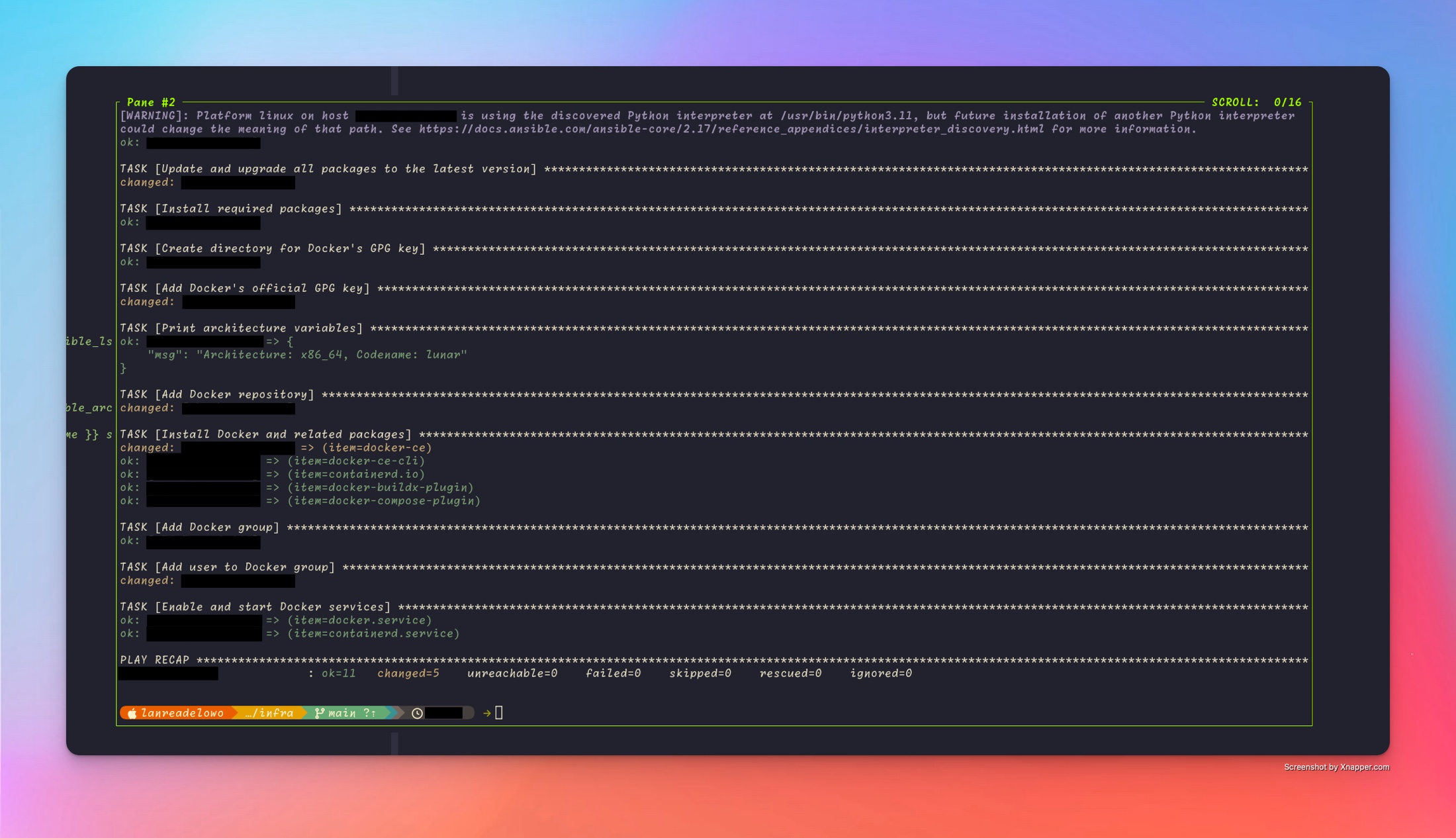
Building docker image from the source code
Luckily, we have been provided a Dockerfile that does all the hardlifting. We just need to do two things:
- Create a private repo on Github.
- Add, commit, and push the files to Github
- Write the Github actions workflow
In .github/workflows/build-image.yml:
on:
  push:
    branches:
      - main

name: Build Image
jobs:
  docker:
    runs-on: "ubuntu-latest"
    steps:
      - name: Get the version
        id: get_version
        run: echo ::set-output name=tag::$(echo ${GITHUB_SHA:8})

      - name: Checkout code
        uses: actions/checkout@v4

      - name: Login into Docker
        uses: actions-hub/docker/login@master
        env:
          DOCKER_USERNAME: your_github_username
          DOCKER_PASSWORD: ${{ secrets.GITHUB_TOKEN }}
          DOCKER_REGISTRY_URL: ghcr.io

      - name: Build image
        run: docker build -t ghcr.io/${GITHUB_REPOSITORY}:${{ steps.get_version.outputs.tag }} .

      - name: Push
        uses: actions-hub/docker@master
        with:
          args: push ghcr.io/${GITHUB_REPOSITORY}:${{ steps.get_version.outputs.tag }}

  deploy_to_linode:
    name: Deploy to Server
    needs: [docker]
    runs-on: ubuntu-latest
    steps:
      - name: Get version
        id: get_version
        run: echo ::set-output name=tag::$(echo ${GITHUB_SHA:8})

      - name: Run new image
        uses: appleboy/ssh-[email protected]
        with:
          host: ${{ secrets.HOST }}
          username: root
          key: ${{ secrets.SSH_KEY }}
          script: >
            mkdir -p /root/writebook/storage/db &&
            mkdir -p /root/writebook/tmp &&
            docker stop $(docker ps -a | grep ghcr.io/${{ github.repository }} | awk '{print $1}') || true &&
            docker run -d -e SECRET_KEY_BASE=${{ secrets.SECRET_KEY_BASE }} -v /root/writebook/storage:/rails/storage -v /root/writebook/tmp:/rails/tmp -e DISABLE_SSL=true -p 4400:80 --user root ghcr.io/${{ github.repository }}:${{ steps.get_version.outputs.tag }}
In the above file, we build the docker image, push it to the Github package repository. Then ssh into the server and run the docker container ( exactly why we had to authorize into the server earlier ).
Notes
-
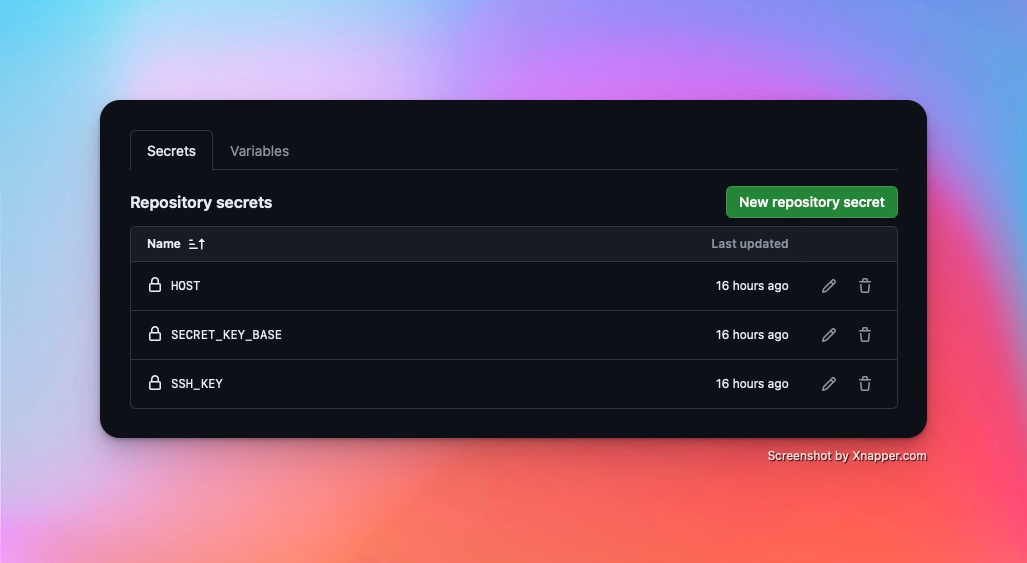
You must add a few secrets in the repository settings page as shown in the screenshot below. Use the actual values
-
You must have noticed I used
--user root. The dockerfile creates arailsuser that owns the process, but the issue now is that when you mount volumes, they will be unwritable because of permissions issues. Using--user rootis acceptable for my usecase. It might not be for yours. -
If
--user rootis not acceptable for your use case, consider installing Podman on your VPS and use it to run the docker image instead of thedockercommand. The--userns=keep-idfor Podman might resolve this for you. So instead of--user root, something like--userns=keep-id --user $(id -u):$(id -g)might work for you.
Updating Caddy
As mentioned earlier, Caddy is really the heart of my setup. I have configured Caddy as below.
I have two files majorly, the main.yml and the templates/caddyfile-main.j2
The main.yml file looks like this:
---
- hosts: main
  become: yes
  name: Install and Set up Caddy

  roles:
    - role: maxhoesel.caddy.caddy_server
      caddy_config_mode: "json"
      caddy_json_config: "{{ lookup('template', 'templates/caddyfile-main.j2') }}"
While the templates/caddyfile-main.j2 file looks like this:
{
  "logging": {
    "logs": {
      "": {
        "level": "error"
      }
    }
  },
  "apps": {
    "http": {
      "servers": {
        "api": {
          "listen": [":443"],
          "routes": [
            {
              "match": [
                {
                  "host": ["api.usefotion.app"]
                }
              ],
              "handle": [
                {
                  "handler": "reverse_proxy",
                  "upstreams": [
                    {
                      "dial": "localhost:4200"
                    }
                  ]
                }
              ]
            },
            {
              "match": [
                {
                  "host": ["api.tewotewo.com"]
                }
              ],
              "handle": [
                {
                  "handler": "reverse_proxy",
                  "upstreams": [
                    {
                      "dial": "localhost:4300"
                    }
                  ]
                }
              ]
            },
            {
              "match": [
                {
                  "host": ["notes.ayinke.ventures"]
                }
              ],
              "handle": [
                {
                  "handler": "reverse_proxy",
                  "upstreams": [
                    {
                      "dial": "localhost:4400"
                    }
                  ]
                }
              ]
            }
          ]
        }
      }
    }
  }
}
Extras
Two extra Github actions workflow that might make sense for you to implement are:
-
Weekly download of the source code, diff the content of the
app/andvendor/directory, if files have changed, commit and push the changes so the build and deploy process can kick off -
Daily backup of the sqlite3 file and upload to S3 or some other storage in case your VPS dies or something bad happens :).
Github actions support scheduling and cronjobs so this can be easily achieved. An untested example of the first one can look like this:
on:
  schedule:
    ## run at 12 pm every day
    - cron: "0 12 * * *"
  push:
    branches:
      - main

name: Download newer releases
jobs:
  docker:
    runs-on: "ubuntu-latest"
    steps:
      - name: Checkout code
        uses: actions/checkout@v4

      - name: Install unzip
        run: sudo apt-get install unzip

      - name: Download and unzip file
        run: >
          wget -O downloaded https://auth.once.com/download/YOUR_TOKEN_FROM_EMAIL &&
          unzip downloaded &&
          mv downloaded/{app,bin,config,db,lib,script,vendor} ./

      - name: Commit and push changes
        uses: devops-infra/action-commit-push@master
        with:
          github_token: ${{ secrets.GITHUB_TOKEN }}
          commit_message: Update files